

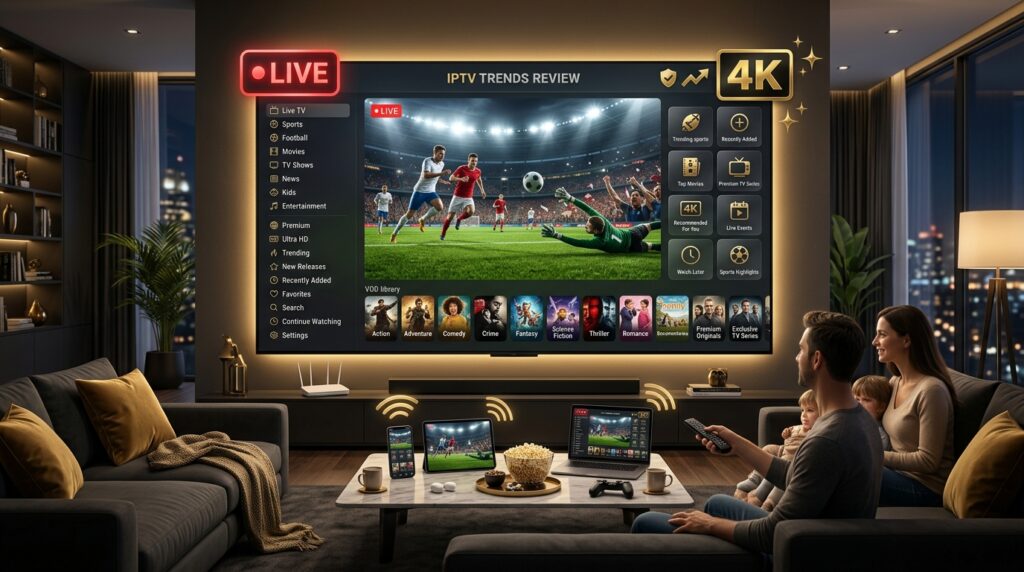
What Is IPTV Trends?
IPTV Trends is an Internet Protocol Television service, meaning it delivers TV through your internet connection rather than a cable line or satellite dish. It runs on the same underlying technology as mainstream streaming platforms. For the technical background, the Wikipedia entry on Internet Protocol Television is a clear reference.
The service targets cord-cutters wanting broad global content at a modest price. Its natural audience includes:
- Single-screen viewers who watch primarily in one room
- International audiences seeking channels from many regions
- Sports and PPV fans wanting worldwide event coverage
- Travelers who need a service that is not IP-locked
In short, IPTV Trends competes in the affordable tier, leaning on channel volume and global coverage as its main pitch.
IPTV Trends Channels and Content
Channel selection is the headline attraction. IPTV Trends promotes a broad catalog across most categories:
- Live channels from the USA, UK, Canada, and international regions
- Sports coverage including PPV and worldwide events
- News, entertainment, kids, and niche programming
- A substantial on-demand library of movies and series
- SD, HD, Full HD, and some 4K streams
- A responsive EPG for schedule browsing
Advertised totals vary by source, ranging from 16,000 to over 23,000 channels with VOD claims between 140,000 and 160,000 titles. Treat the higher figures as marketing estimates rather than verified counts. To see what a clearly organized, transparent lineup looks like, browse our full IPTV channels list.
The Connection Limitation You Should Understand
This deserves its own section, because independent reviewers flag it repeatedly and it catches households by surprise.
IPTV Trends sells plans described as 1, 2, or 3 device connections. However, reviewers report that in practice only one device can stream at a time. Attempting to connect a second device simultaneously reportedly locks you out.
Why this matters:
- Families cannot watch different content on separate TVs at once
- The “device” count refers to registered devices, not simultaneous streams
- Multiple simultaneous viewers require buying separate accounts entirely
- This differs from most competitors, where connection count means concurrent streams
If you live alone or watch exclusively in one room, this is a non-issue. If two people in your household watch different things at the same time, this is the single most important detail in this entire review. Confirm it directly with support before purchasing.
IPTV Trends Streaming Quality: An Honest Look
Quality feedback on IPTV Trends is genuinely mixed, which is worth knowing upfront.
Keep expectations grounded:
- Provider-affiliated pages describe stable servers with minimal buffering
- Independent customer reviews include complaints about frequent buffering
- 4K exists on some channels but is not consistent across the lineup
- Adaptive streaming adjusts quality based on your connection speed
- A 99.99% uptime guarantee is advertised, which is a more measured claim than the 100% figures some rivals use
The gap between marketing pages and independent customer reviews is noticeable here. Some subscribers report smooth performance, others report buffering worse than competing services they had tried. Testing during a trial is the only reliable way to know which experience you will get.
IPTV Trends Features Worth Noting
Beyond the channel numbers, several features come up consistently:
- No IP lock, so changing networks or traveling does not lock your account
- Broad platform support across Android, Apple, Windows, Enigma2, MAG, and Roku
- A responsive EPG for schedule navigation
- A free trial for new subscribers
- Adaptive streaming that adjusts to your available bandwidth
The no-IP-lock policy is a genuine practical advantage, particularly for travelers or anyone switching between home and mobile networks regularly.
Is IPTV Trends Legal and Safe?
An honest answer matters here. IPTV technology itself is completely legal. Legality depends on whether the provider properly licenses everything it streams.
IPTV Trends, like most services in this bracket, offers limited independently verifiable licensing detail, and reviewers note that applicable laws vary by country. The service is also absent from official app stores like Google Play and the Amazon App Store, which means installation requires sideloading. When broad channel packages and PPV events stream for single-digit monthly fees, that raises reasonable questions, because genuine licensing is expensive. Streaming unlicensed content is illegal in the United States and most countries. The U.S. Copyright Office publishes clear guidance on content rights.
Points worth weighing
- Legal exposure from accessing unlicensed streams
- Sideloading required, since the app is not in official stores
- Multiple domains operating under similar Trends branding
- Mixed customer feedback on service consistency and support
- Sudden shutdowns, a standing risk with any gray-market service
IPTV Trends Pricing and Plans
Pricing is genuinely competitive, which is the service’s clearest strength.
Reported figures for the 2026 market:
- Monthly plans starting around $9.99
- Quarterly plans offering better effective monthly rates
- Yearly plans delivering the lowest cost per month
- Device tiers available at 1, 2, or 3 registered devices
Remember the connection caveat above when reading those device tiers. Also note that customer reviews mention upselling during support conversations, so be clear about what you want before contacting sales. Compare openly published, straightforward rates on our pricing page.
What Internet Speed Do You Need for IPTV Trends?
Performance on IPTV Trends, as with any service, depends heavily on your connection. According to the FCC Broadband Speed Guide, plan on roughly 5 Mbps for SD, 10 Mbps for HD, and at least 25 Mbps for 4K on one device.
Since only one stream runs at a time here, your bandwidth requirements are lower than with multi-connection services. Even so, a stable 50 Mbps or more gives comfortable headroom. Unsure of your speed? Run a quick free test at Speedtest.net and compare.
Ways to reduce buffering
- Connect your main TV with wired Ethernet
- Keep your router near the streaming device
- Postpone large downloads during prime viewing hours
- Reboot your router weekly to clear congestion
IPTV Trends Pros and Cons
A balanced review lays out both sides.
Potential strengths:
- Competitive entry pricing starting near $9.99 monthly
- Large advertised channel and VOD selection
- No IP lock, ideal for travelers and network switching
- Broad platform support including Enigma2, MAG, and Roku
- A responsive EPG and adaptive streaming
- A free trial for new subscribers
Potential drawbacks:
- Only one device can stream at a time, despite multi-device plans
- Mixed customer feedback, with buffering complaints in independent reviews
- Not available in official app stores, so sideloading is required
- Reports of upselling during support conversations
- Channel counts vary between sources
- Unclear independently verifiable licensing
The recurring theme is a decent single-screen service at a good price, undermined for households by the concurrent-stream limitation.
What Real Users Say About IPTV Trends
Feedback splits sharply depending on where you read it, which is itself informative.
Provider pages showcase enthusiastic testimonials about picture quality, easy setup, and responsive support. Independent consumer review platforms tell a cooler story, with specific complaints about buffering, service interruption after trials, and support representatives focused on upselling rather than solving problems.
When provider testimonials and independent feedback diverge this much, the sensible approach is to trust neither entirely and test the service yourself during a live event you actually care about.
IPTV Trends vs a Multi-Stream Alternative
The real difference between a single-stream service and a household-ready provider is not the channel count. It is whether your family can watch simultaneously. Here is the contrast:
| Factor | Single-Stream IPTV | Household IPTV Service |
|---|---|---|
| Simultaneous streams | One device only | Multiple, per plan |
| Family viewing | Requires extra accounts | Included in one plan |
| App availability | Sideloading required | Standard player apps |
| Customer feedback | Mixed reports | Consistent |
| Support approach | Upselling reported | Problem-solving first |
Framed this way, it is easy to see why households with more than one TV in regular use need to verify the concurrent-stream policy before anything else.
Device Compatibility and Getting Started
IPTV Trends works with most hardware people already own, including:
- Amazon Fire TV Stick and Fire TV
- Android phones, tablets, and TV boxes
- Apple devices and Smart TVs
- Windows and Mac computers
- Enigma2 and MAG boxes
- Roku devices
Setup generally means sideloading the provider’s app, since it is not available in official app stores, then entering your credentials. Whichever service you choose, be cautious with sideloaded installations and keep your login private.
Who Should Consider IPTV Trends?
IPTV Trends suits some viewers considerably better than others:
- Solo viewers who watch on one screen at a time
- International content watchers wanting global channel coverage
- Travelers who benefit from the no-IP-lock policy
- Budget-focused users attracted by the entry price
If that describes you, the pricing and channel breadth are appealing. But if you have a family with multiple TVs in simultaneous use, this service structurally does not fit without buying separate accounts.
How to Choose a Safe IPTV Service
Whether you are weighing IPTV Trends or any rival, the same checklist applies:
- Confirm simultaneous streams. Ask explicitly how many devices can watch at once.
- Test during peak hours. Evenings and live events reveal real server quality.
- Check app availability. Prefer services that work with standard player apps.
- Read independent reviews. Look past provider testimonials for honest feedback.
- Clarify the refund policy in writing before paying.
- Time support before buying. Message a question and see how fast and how helpfully they respond.
Do this once and you will avoid nearly every rookie subscriber mistake.
Frequently Asked Questions About IPTV Trends
Is IPTV Trends legit?
It operates like many affordable IPTV brands, but customer feedback is mixed and licensing is unclear. Verify carefully and use the trial before subscribing.
Can I use IPTV Trends on two TVs at once?
Reviewers report that only one device can stream at a time, even on multi-device plans. Confirm this with support before purchasing.
How much does IPTV Trends cost?
Reported prices start around $9.99 monthly, with better effective rates on quarterly and yearly plans.
Is IPTV Trends available on the app store?
No. It is absent from Google Play and the Amazon App Store, so installation requires sideloading.
Is there a more household-friendly alternative to IPTV Trends?
Yes. Choose a provider whose plans allow genuine simultaneous streams, published pricing, and fast human support.
Final Verdict and Next Steps
IPTV Trends offers a competitive entry price, broad global channel coverage, and a genuinely useful no-IP-lock policy. For a solo viewer watching in one room, that combination works reasonably well.
The honest caveats are significant though: only one device streams at a time regardless of your plan tier, customer feedback diverges sharply between provider pages and independent platforms, and sideloading is required since the app is not in official stores. For families, the concurrent-stream limitation alone is likely a dealbreaker.
Ready to stream without the guesswork? Start a free trial, compare openly published plans, and switch to a service where your whole household can watch at once.
Start your 24 hour IPTV trial and test every channel on your own TV tonight. Still have questions? Contact our team and get an answer in minutes. If this IPTV Trends review helped you, share it with a friend and leave your questions in the comments below.